
Origin Agent

From one sentence
to something that works.

Students describe an idea on their own computer. The AI writes code, runs it, checks it and fixes it, and every step is visible. Used in class, continued at home.
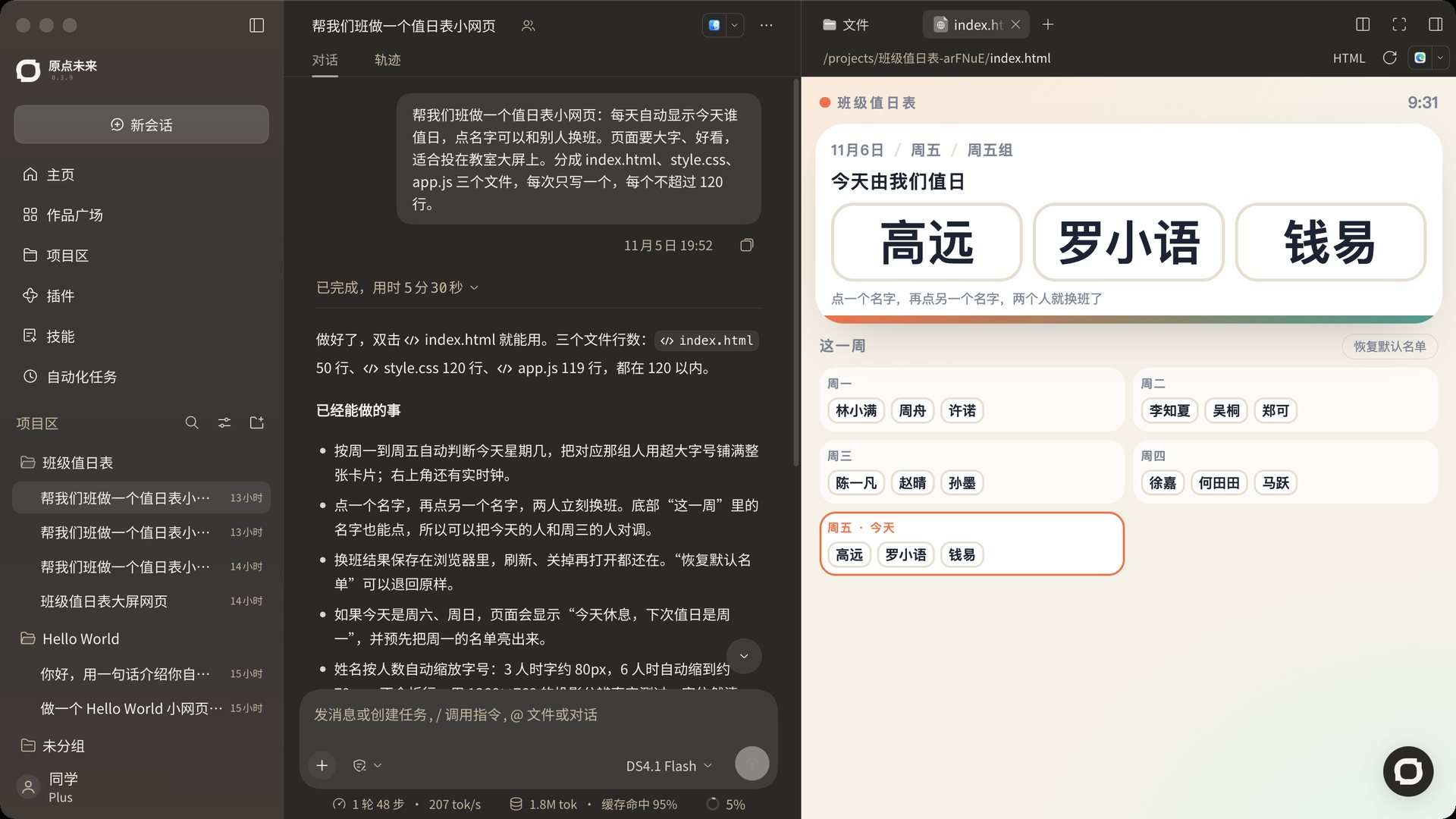
Agent main view (large) · Projects, chat and a running project side by side

Real run

One real session

We gave the Agent a real task, a duty roster for a class, and recorded the run. Here it is again, in the order it happened.

A duty roster page for our classChatTrace
Make a small duty roster page for our class: show who is on duty today, and let people swap by tapping names. Big, good-looking text for the classroom screen. Use index.html, style.css and app.js, one file at a time, each under 120 lines.
  1. Ran a command
  2. The folder is empty, so I am starting from scratch. First index.html, the page structure.
  3. Wrote file · index.html
  4. style.css: colors and type sizes that read well on a big screen.
  5. Wrote file · style.css
  6. app.js: works out the day, handles swaps and saves locally.
  7. Wrote file · app.js
  8. Now rendering it in a browser to check how it looks on a classroom screen and to test swapping.
  9. Ran a command and read the image
  10. Found a bug: a selected name in the week view turns white on white because a later CSS rule wins. Also, the today card is too empty; the names should fill the screen. Fixing both.
  11. Edited files, ran a command, read the image
  12. With six people in a group, five squeeze into one row and one sits huge below. Switching to a grid layout.

Done in 5 min 30 s

It works: double-click index.html. There are three ways to set up the groups; tell me which you want and I will change it.

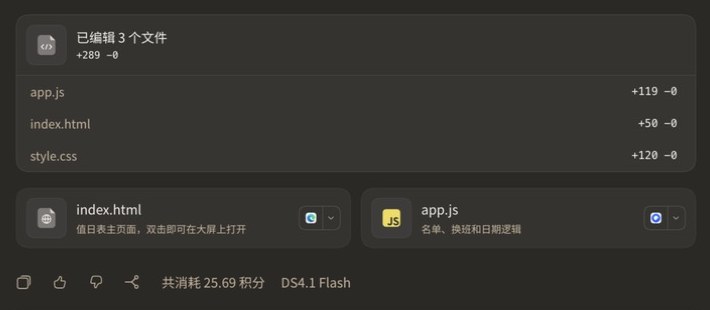
Edited 3 files +289app.js +119index.html +50style.css +120

25.69 credits · DS4.1 Flash

Send a message or start a taskDS4.1 Flash
Preview · index.html
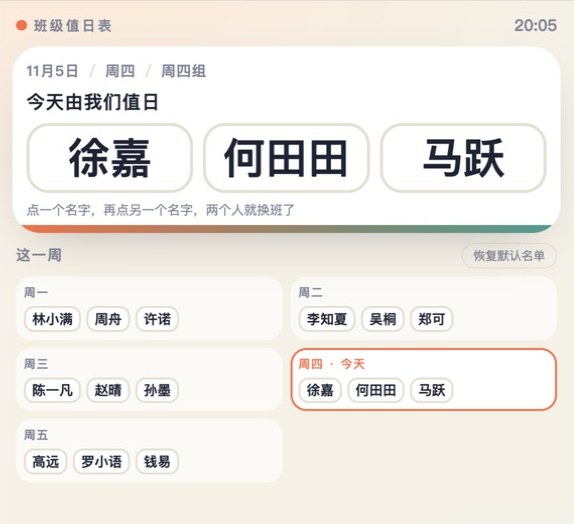
The finished duty roster: today’s three names in large type, with the week below

The result will appear here

Recreated from a real run in November 2026 and shortened; the original was in Chinese. The preview on the right is the real screenshot, and the names are sample names the AI made up.

How it works

From one sentence to something that works

  1. 01

    Say the idea

    Describe what to make and who it is for, in your own words. No coding needed first.
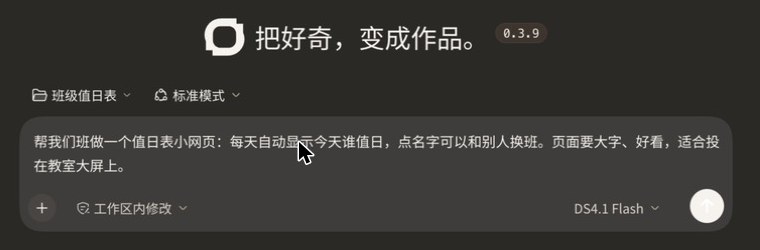
    New session: typing the idea
  2. 02

    The AI builds

    The AI writes, runs and edits code, and each step shows up in the chat.
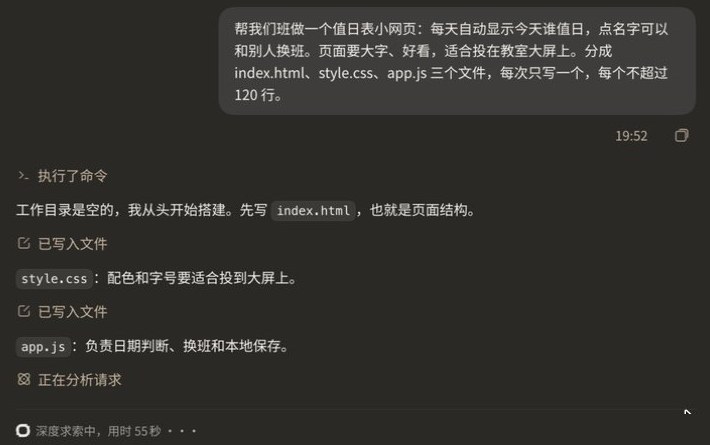
    The chat lists each file as it is written
  3. 03

    It checks its own work

    It looks at the result in a browser, explains any problem, fixes it and looks again.
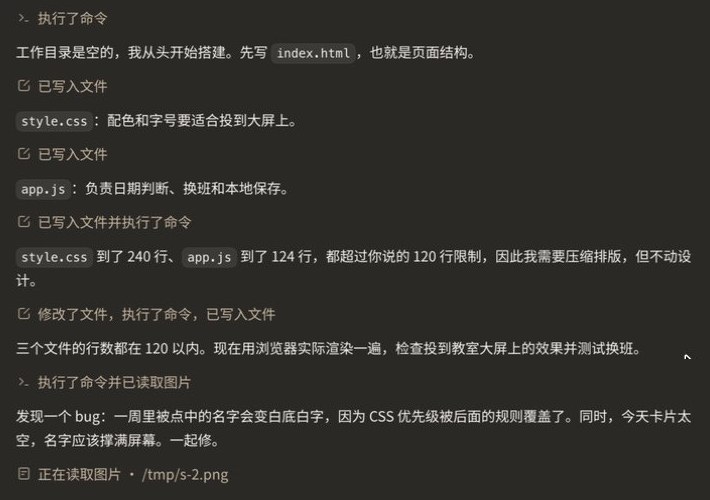
    The AI finds and fixes a display bug
  4. 04

    The student decides

    At the end it explains what could change and the trade-offs, and the student picks.
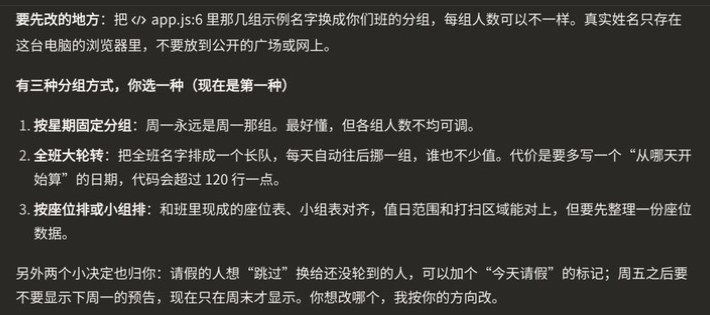
    Options listed after the run

Help nearby

Someone to explain what is confusing, and someone to think with when you are not sure what to make.

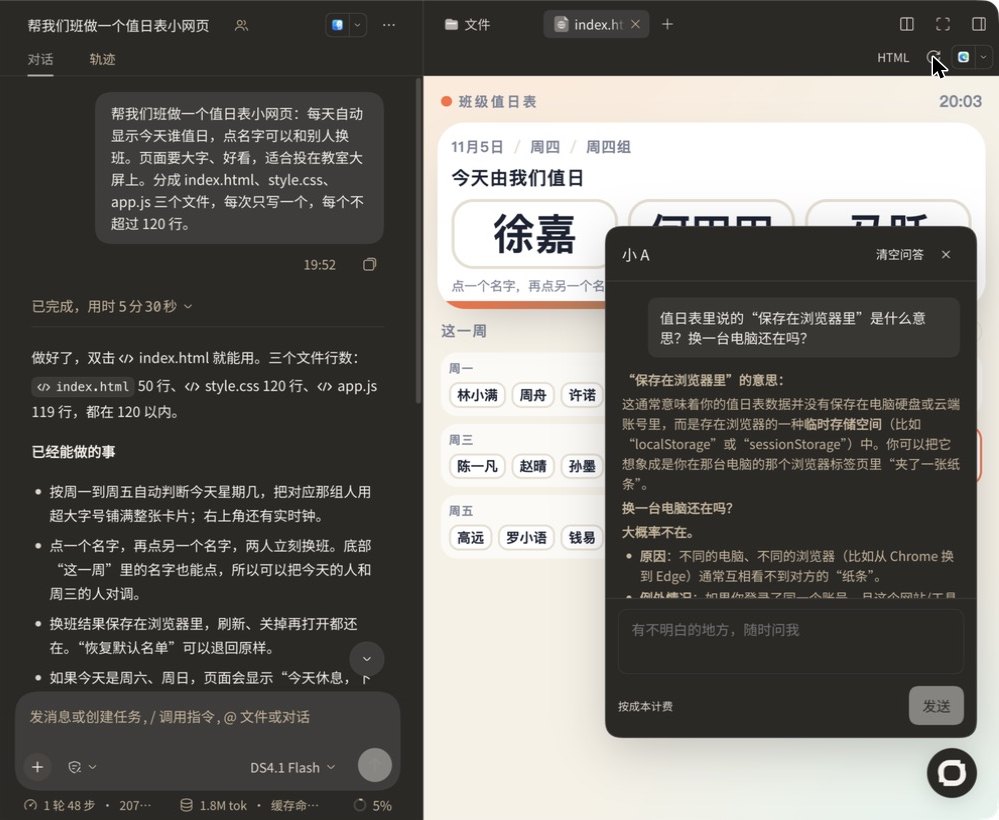
Little A explaining what “saved in the browser” means
Little AExplains terms, reads code with you and breaks problems down. Then you get back to your own project.
SkillsReady-made skills for each stage of the course.
Direction finderStep-by-step questions to find a product direction.
GalleryAfter review, others can try the project online.
RemixBuild on others' work when the author allows it.

For parents

Every step is visible

Clear costs
Each run ends with the credits it used and the model it ran on.
No keys needed
Models come through the platform; students never enter an API key.
Work stays on their computer
Project files live on the student’s own computer; publishing to the gallery goes through review.
A full record
Every chat, step and changed file stays in the project to look back on.
End of a run: which files changed, how many credits, which model

Download

Download links open after release.

macOS

Apple silicon and Intel

Coming soon

Windows

Windows 10 and later

Coming soon

Contact us

QRWeCom QR code · to be supplied

Scan to talk with us one-on-one about programs, fees and partnerships.